
Using it #
- Lay the phone flat — the screen says so, and a tilted phone reads badly.
- Stand clear of metal, magnets, speakers, laptops and car dashboards.
- Turn slowly until the arrow locks. The status pill tells you which way and how far: “Turn right 45°”, then “Near Qibla · 12° right”, then “Facing Qibla”.
In the middle you get the Qibla bearing in LED digits, the 16-point compass name for it (ESE, NNW…) and the caption QIBLA · TRUE N. Your location name sits below. A short haptic tick confirms entering the green band, and a stronger one confirms gold — improvements only, so it never buzzes at you while you drift away.
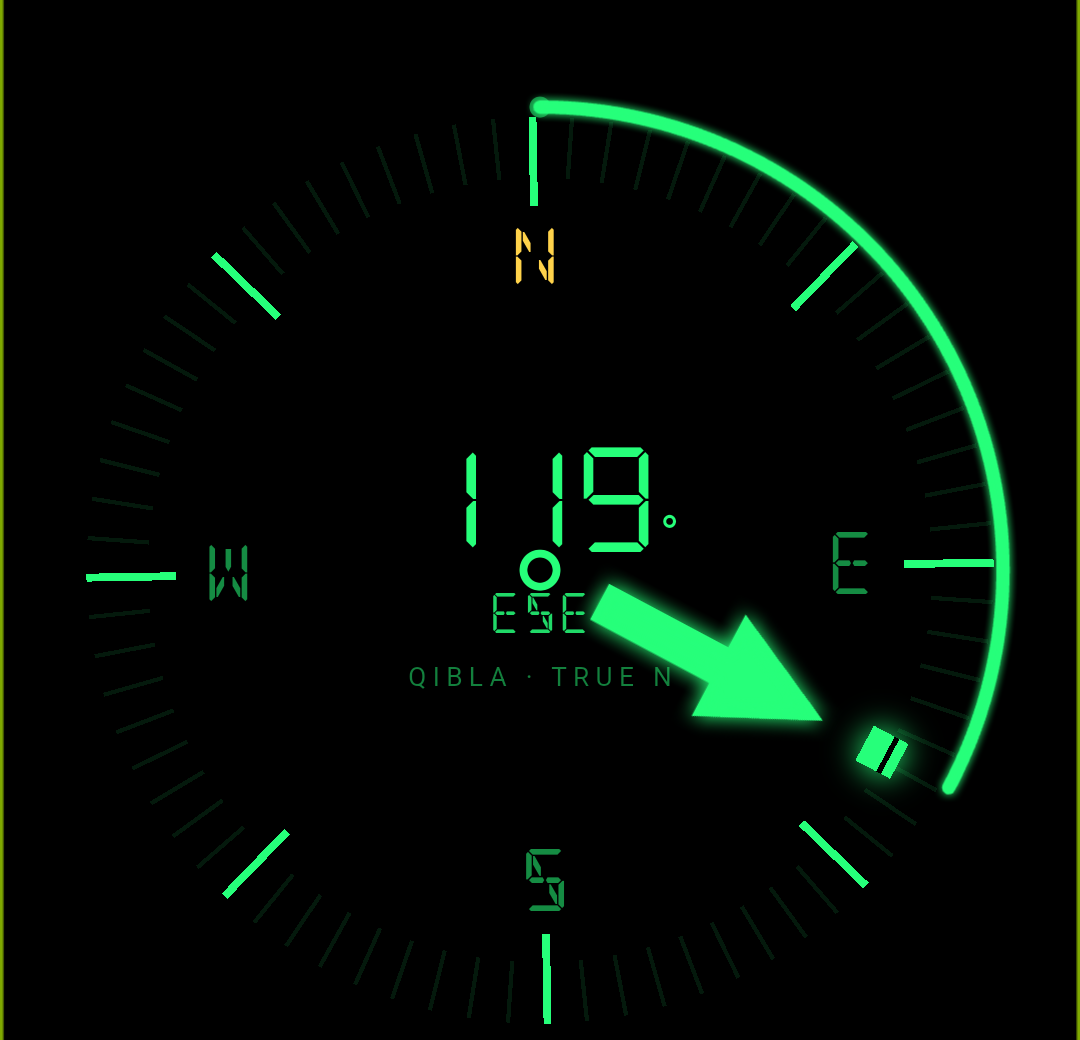
Gold and green: what “aligned” really means #
Chimely shows two levels of alignment rather than one.
Gold — aligned
Within 5°
You are on the computed bearing. The pill reads “Facing Qibla”.
Green — acceptable
Within 20°
Close enough. The pill reads “Near Qibla” with the remaining turn.
Neutral — off
Beyond 20°
Keep turning. The pill tells you the direction and the degrees.
Why green exists
Because chasing gold is the wrong goal, and two honest facts make it unreachable anyway:
- An established masjid’s own orientation commonly differs from a phone’s computed great-circle bearing by 10–20°. Those buildings were laid out with care, often generations ago, and praying in line with your masjid is not wrong. If your prayer mat sits at 15° to Chimely’s arrow, both are fine.
- Phone compasses are typically accurate to only ±5–15°. The magnetometer in a phone is a small, cheap sensor sitting next to batteries and speakers. Exact aim is not something the hardware can deliver, so treating a 3° error as meaningful would be false precision.
So: green is a correct answer, not a near-miss. Gold simply means you are dead on the calculated line. Neither should override the alignment of the masjid you are standing in.
The three dial styles #
Switch between them with the control at the bottom of the screen.
| Style | Look |
|---|---|
| Rose | Full dial with a slim needle — the classic compass rose with tick marks. |
| Beam | A bold arrow and a turn arc, with no dial ring. The most direct “just point me” view. |
| Blend Default | The dial with the bold arrow — both together. |
Calibrating #
There are two things here, and they are different:
- An automatic warning. When the sensor reports poor accuracy, a line appears in the status strip: “Low accuracy — move your phone in a figure-8, away from metal.”
- A manual calibration dialog. Tap Calibrate compass in the top bar whenever the needle feels unsteady. It shows an animated figure-8 and a live readout — Needs calibration — keep moving → Improving… → Compass ready. Wave the phone in a figure-8 a few times, away from metal and magnets, then tap Done.
If your phone has no compass #
Some budget phones ship without a magnetometer. Chimely detects this, hides the compass button on the clock, and — if you reach the screen anyway — shows a static card: “This device has no compass sensor” together with “Face 119° (ESE) using any compass to face the Qibla.” The bearing is still correct; you just need a separate compass to aim with.
And if you are within a kilometre of the Kaaba, Chimely says so: “You are at the Kaaba — the Qibla is all around you.”